What
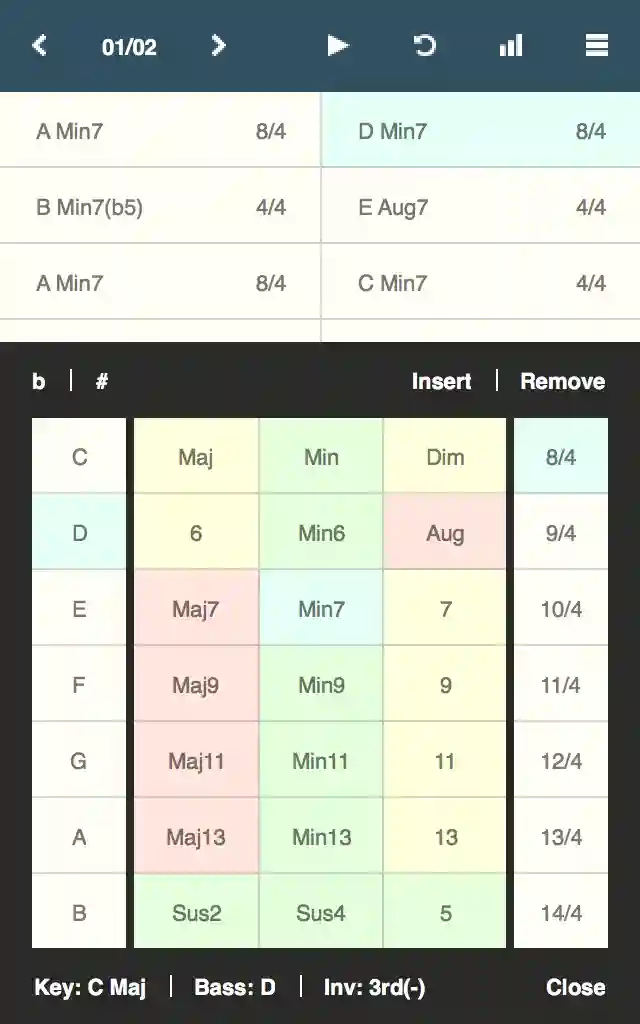
Chordbot is a songwriting app / backing track generator that lets you create and play any chord progression in a variety of musical styles. Think of it as the "Band in your hand"
Why
- Make custom backing tracks for your guitar solos
- Experiment with complex chord combinations without having to master (or bring) an instrument
- Quickly try different song arrangements by mixing instrument and comping patterns
How
- Select a style and add some chords
- Hit play and mess around with the chords and arrangement in real-time until you find something you like
- Export song as MIDI, refine in DAW, release + profit (optional)
Features
- Choose between 60+ chord types, everything from Augadd2 to Min7#11, in all inversions
- Over 70 built-in comping style presets. Simple but usable arrangements that won't get in your way
- Create your own unique comping styles by combining and mixing over 400 dynamic instrument tracks
- Automatic (or manual) inversion selector makes chord changes as smooth as possible
- Export songs as MIDI-files for further refinement in a DAW, or send demos to your bandmates as WAV-files
More information:
- See some screenshots
- Listen to some audio samples
- Read some common questions
- Install the app